Thine Own Creation

Designing a Multimedia Infographic Presentation
The Process
In creating my own multimedia infographic explaining the importance of digital literacy for cultivating responsible digital citizens I came across a variety of decisions based upon my eight weeks of learning for advanced applications of media and technology, such as the ways of delivering the information, designing my composition, the use of a color scheme and typography, as well as the use of images, audio, and animation. I knew what topic I wanted to discuss because of my interest in digital citizenship, but I admittedly had trouble finding a way to create a universal design for learning until I was able to storyboard my idea for the multimedia project. After storyboarding and researching the components of multimedia, I felt the best way to present the information was through an infographic that I could animate and add in voice overs for auditory information. I decided that I could utilize my experience with Adobe Creative Suite by finding stock images on www.freepik.com and bringing them into Adobe Illustrator to design the look I felt best serves the learning experience I was trying to provide, and then using Adobe After Effects to enhance my media with animations. Through the use of www.bandlab.com I was able to record and edit the audio for my media. I then used www.thinglink.com to create an interactive infographic with their ability to provide buttons that enable me to add in the audio and other accessories such as videos from Common Sense Education, found on YouTube.
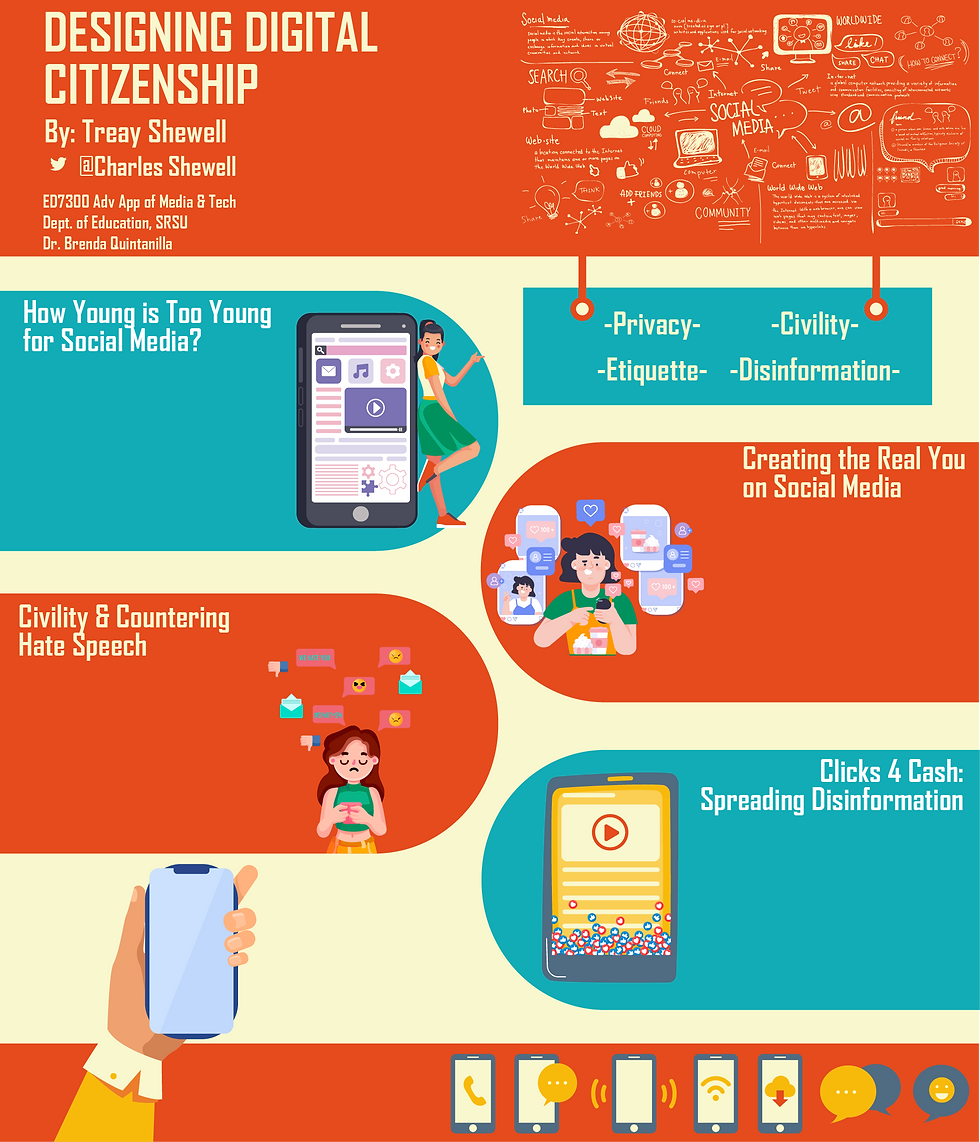
MY OUTLINE
My Goal
My goal for this project was to provide an infographic with information that encapsulates digital citizenship and its importance without overwhelming the viewer. Through the use of Mayer’s 12 Principles of Multimedia Learning I hoped to use a combination of words, pictures, and sounds that are all used to exclude an extraneous amount of one of these, but still be able to use them all through the redundancy principle. Through spatial contiguity I was able to correspond words with graphics, as well as video and auditory interactive buttons. Through the 12 principles, I feel I was able to integrate all of them in some way for a well designed presentation.
Let's Be Honest with the Result
In all honesty, I am a little bit bummed out that I was not able to create an augmented or virtual reality presentation using this material, but I felt I was not well equipped for the augmented experience I envisioned. My interest in AR/VR gave me intrigue in possibly creating something for an experience like no other, but the work needed to put it together did not line up with the time I would need for a creation like that … but hopefully one day soon, I can put something together to use for a learning experience like no other. Luckily, I was able to integrate the components I envisioned, which helped me make something I am quite proud of.
My Project
Here is the link to my multimedia infographic: https://www.thinglink.com/video/1629935221707112449


Comments